
RSTL Automation | Technical buying guide
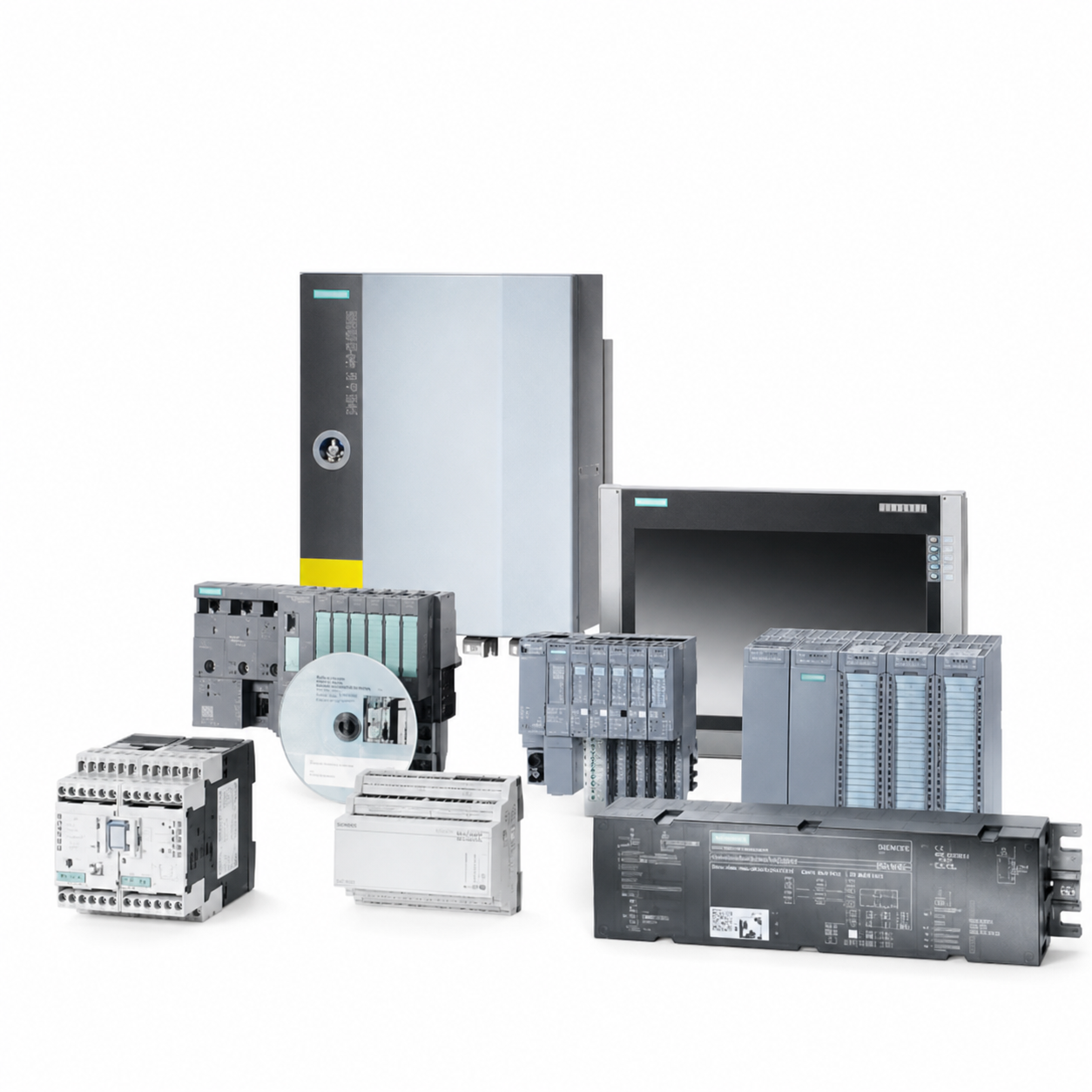
Searching for a Siemens PLC is rarely just a question of selecting a CPU. A working automation system also depends on compatible power supplies, signal modules, communication cards, front connectors and the exact firmware or project environment. This guide gives maintenance teams, machine builders and buyers a practical way to understand the main Siemens PLC families before sourcing a new, surplus, refurbished or legacy part.
What is a Siemens PLC?
A programmable logic controller (PLC) is an industrial controller that reads inputs, executes a control program and commands outputs. Siemens SIMATIC controllers are used in machine control, packaging, water treatment, process plants, material handling and many other applications. A typical system includes a CPU, power supply, digital and analog I/O, communication interfaces and engineering software.
The four PLC families buyers see most often
S7-1200
S7-1200 controllers are compact PLCs for smaller and standard automation tasks. They are a sensible starting point where cabinet space, cost and straightforward I/O requirements matter. Before ordering, confirm the CPU reference, onboard I/O, required expansion modules, power supply and network protocol.
S7-1500
S7-1500 is used for more demanding machine and plant applications. Its modular range supports different CPU performance classes, signal modules, technology modules and communications. It is often selected when an application needs additional performance, diagnostics, motion capability or expansion. Do not assume that two CPUs are interchangeable simply because they belong to the same family.
S7-300
Many installed plants still run S7-300 systems. For maintenance, the priority is usually continuity: identify the exact MLFB, hardware revision, firmware expectations and connected modules before proposing an alternative. A migration may be appropriate for a planned upgrade, but a like-for-like spare is often the lower-risk response to an unplanned shutdown.
S7-400
S7-400 systems are common in larger or more complex legacy installations. Exact configuration matters because CPUs, racks, interface modules and redundant architectures may be application-specific. Send a photograph of the rack and the complete order number when requesting a quote.
How to select the right replacement or spare
Use this checklist before purchasing:
- Read the complete MLFB/order number from the label.
- Record the product family and CPU type.
- Photograph the front label, connectors and installed rack position.
- Note firmware, memory card and communication requirements.
- Identify whether the requirement is an emergency spare, repair, direct replacement or upgrade project.
- Confirm condition requirements: new surplus, refurbished, exchange or tested used.
Why the full MLFB matters
One missing suffix can describe a different voltage, interface, approval, memory size or product revision. A partial number is useful for searching, but it is not enough to approve a purchase. Compare the full part number and the physical installation before dispatch.
Need help locating a Siemens PLC?
RSTL Automation is an independent supplier of industrial automation parts. Send the complete MLFB, quantity, photographs and destination country. Our team can check availability for the requested part and, where appropriate, discuss a verified alternative. RSTL Automation is not affiliated with or authorized by Siemens.
A practical site walk-down
Before a buyer searches online, the maintenance team should walk the cabinet and record the installed system rather than only the failed item. The rack position, adjacent modules, terminal connectors, network cables, cabinet voltage and labels on the door can all reveal constraints that are not visible in a short part number. This is especially important when a product family has been installed over many years and revisions have accumulated.
From product family to purchase decision
A product family name is useful for finding information, but a purchase decision should be based on the full order number and the task performed by the module. For an emergency repair, restore the validated architecture first. For a future improvement project, evaluate performance, networking, safety, engineering software, available drawings and planned downtime as one scope.
FAQ: Can one PLC family replace another?
Sometimes, but it is an engineering change rather than a routine spare swap. The program, I/O addressing, communications, cabinet arrangement and operator interface may need review. Where downtime is critical, request the exact installed MLFB first and treat any migration as a separately planned project.
For a precise availability check, send the full MLFB/order number, clear label photographs, quantity, required condition, destination country and required delivery date. Include cabinet or application context if the part is a CPU, drive, HMI, communications module or safety-related device. This allows the request to be reviewed as a specific item rather than an assumed substitute.